Grok Image Prompts: Copy-and-Paste Examples

Your next portrait, product shot, or illustrated world starts with a few well-chosen words.

Explore ready-to-copy prompts for Grok Image 2.0, with visual references to help you find a direction. Browse the collection, adapt the subject and style, and bring your prompt straight into the generator. Explore alternative briefs for the same subjects, then compare your own generated results.

Try Grok Image 2.0

Grok Image Prompt Examples to Copy

Explore portraits, product shots, illustrated worlds, and everything in between.

Community reference images paired with our own prompts.

9 prompts
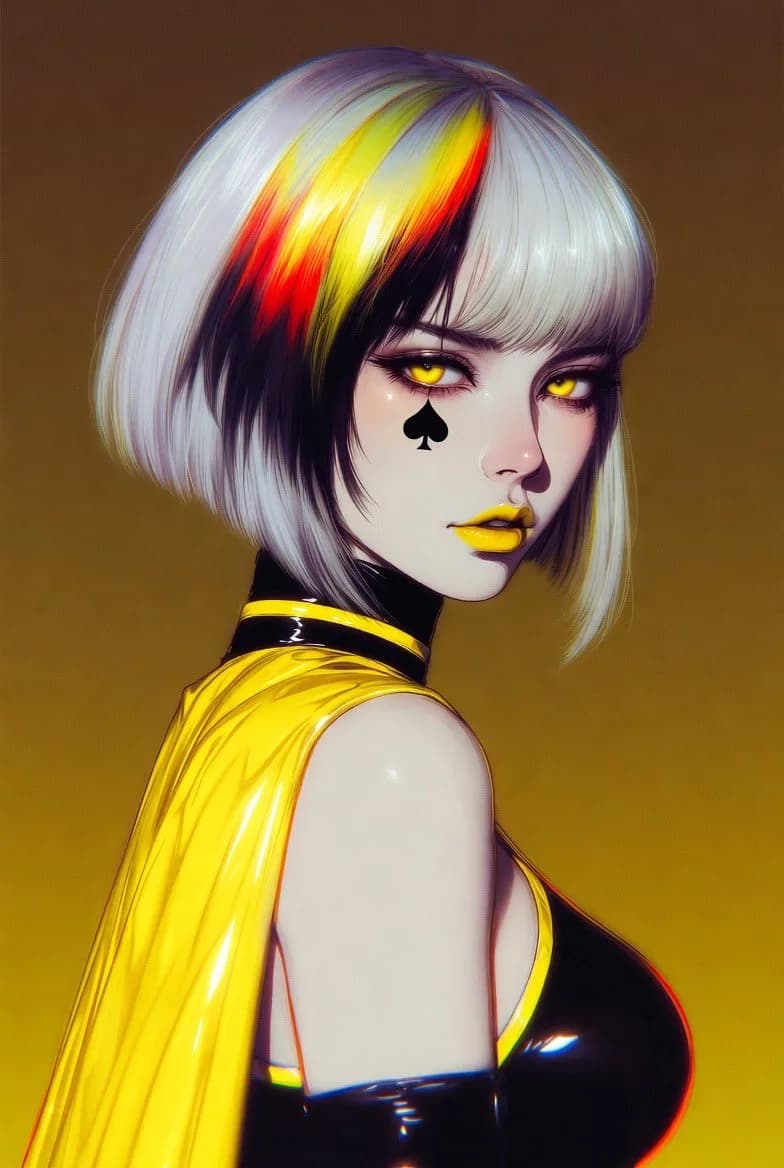
Silver-haired illustrated character in a yellow cape against a golden background
AnimeSuggested output: 3:4

Cyberpunk Anime Character Portrait

View full prompt

Create an original cyberpunk character portrait in a vertical 3:4 frame. Give the character a silver bob with a few crimson strands, amber eyes, and a bright yellow rain cape. Turn the shoulders away while keeping the face toward the camera. Use a plain ochre background, crisp painted edges, a soft key light from the left, and deep shadows beneath the collar. Keep the face as the sharpest part of the image. No lettering or logos.

Make it yours. Swap the cape and background colors together to build a consistent character series.
Try This
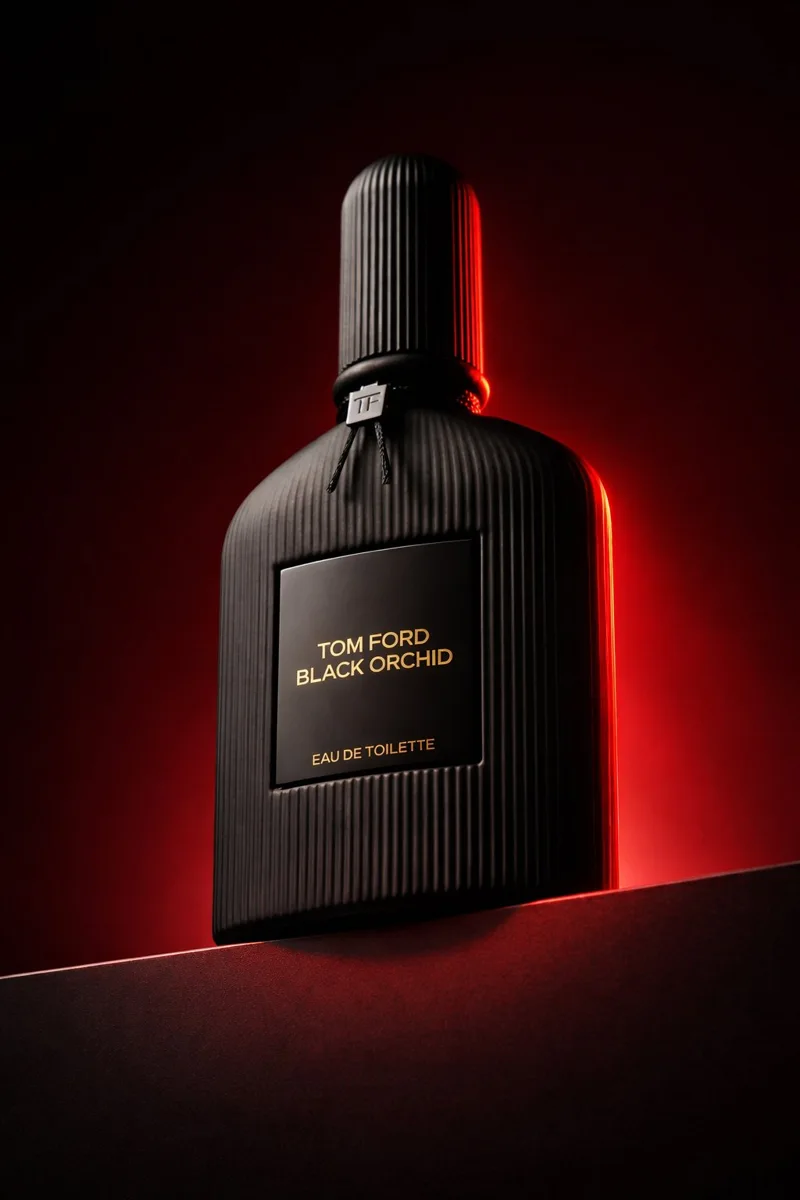
Black ribbed perfume bottle on a dark plinth with a red edge light
ProductSuggested output: 3:4

Luxury Perfume Product Photography

View full prompt

Photograph an unbranded black perfume bottle with vertical glass ridges on a charcoal stone block. Position the camera below the bottle and slightly to its left. Add a narrow crimson light behind the right edge and a broad dim studio light above the front. Preserve readable glass texture in the shadows. Use a deep wine-red backdrop with no props. Vertical 3:4 advertising composition, realistic reflections, blank label, no brand names.

Make it yours. Name the material and the direction of each light before adding mood words.

Try This
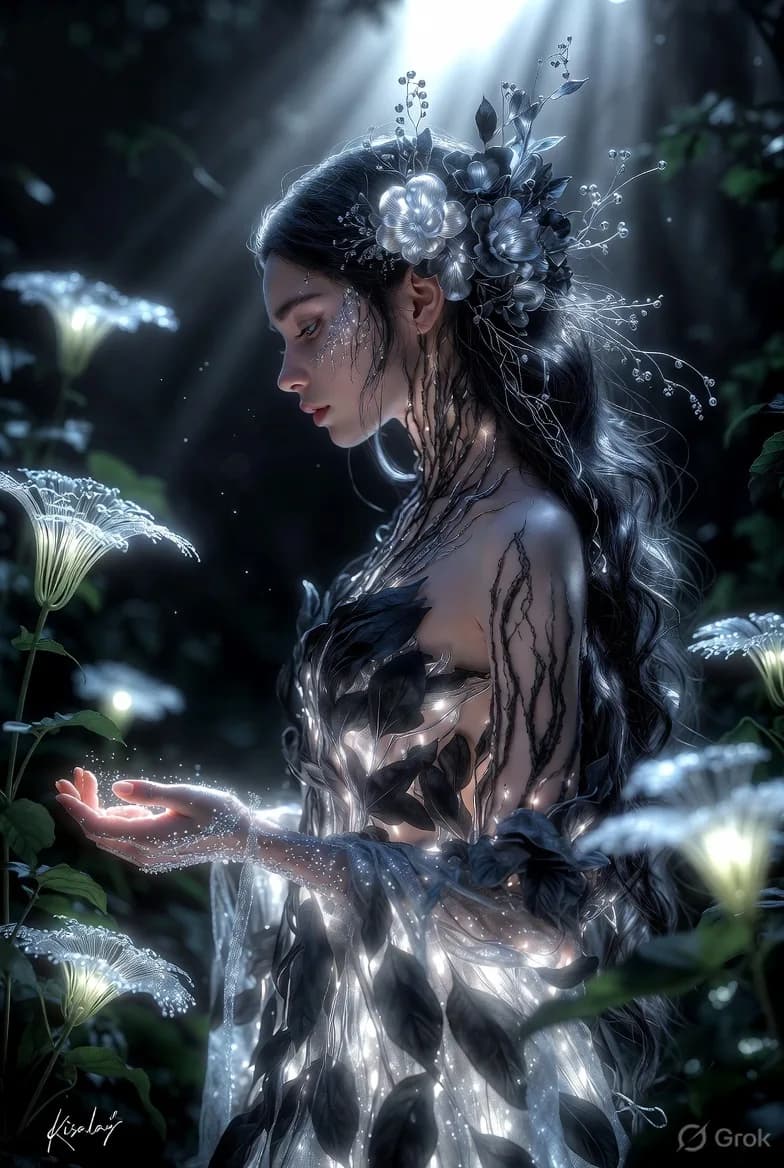
Forest spirit with silver floral details and glowing plants in a moonlit forest
FantasySuggested output: 3:4

Moonlit Forest Spirit Portrait

View full prompt

An adult forest guardian in profile, holding a tiny floating light above an open palm. Weave pale metallic flowers through dark hair and add delicate branch patterns along the shoulders. Set the scene beneath tall trees at midnight, with small luminous plants near the ground. Use cool moonlight from behind and a soft glow from the hand. Photographic fantasy illustration, charcoal and silver palette, gentle background blur, vertical 3:4 composition.

Make it yours. Keep the palette narrow so luminous details remain the focal point.

Try This
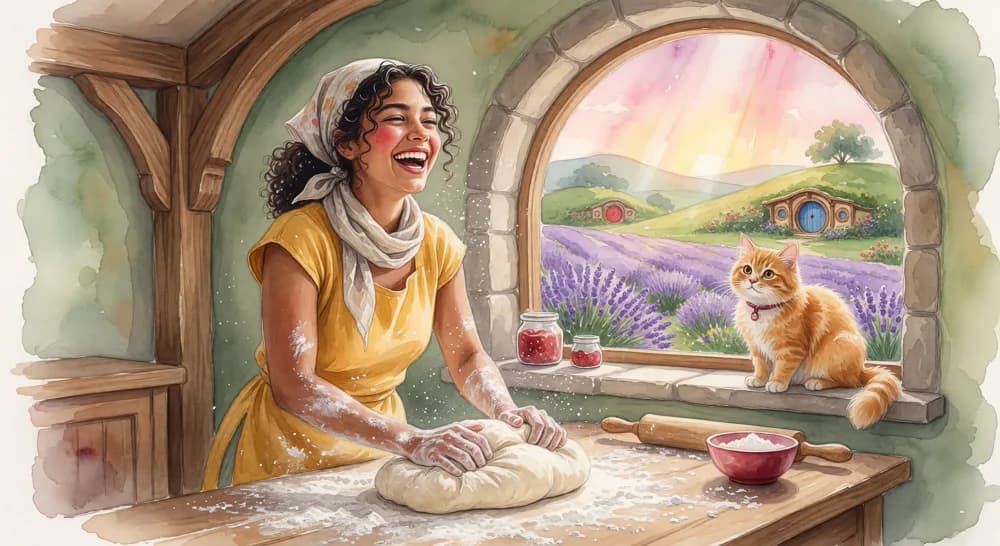
Watercolor illustration of a smiling baker beside a sunny arched window
IllustrationSuggested output: 3:4

Watercolor Bakery Illustration

View full prompt

Paint a cheerful baker shaping bread at a flour-covered wooden table in a small countryside kitchen. An arched window opens onto lavender fields, and an orange cat watches from the sill. Dress the baker in a mustard apron and a loose linen headscarf. Use transparent watercolor layers, visible paper grain, soft violet shadows, and warm morning sunshine. Vertical storybook illustration with a clear face and hands, no text.

Make it yours. Describe the paper and paint behavior to make the medium feel convincing.

Try This
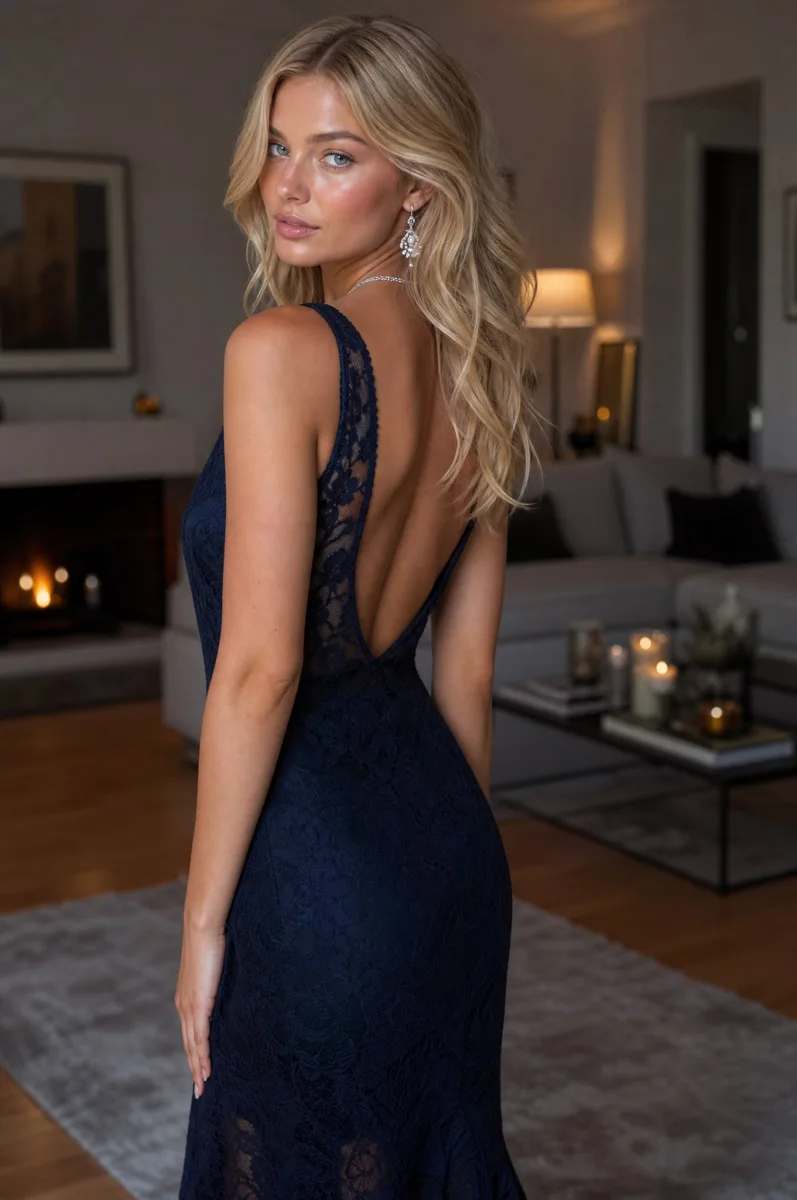
Fashion portrait of an adult woman in a navy evening gown in a softly lit apartment
PortraitSuggested output: 3:4

Evening Gown Fashion Portrait

View full prompt

Create an editorial photograph of an adult woman in a navy evening gown, turning to look back toward the camera inside a contemporary apartment. Emphasize the texture of the fabric, loose blonde hair, and small silver earrings. Use soft window light on the face and a warm lamp far behind the subject. Natural skin detail, relaxed posture, shallow depth of field, muted colors, vertical 3:4 crop. No text or watermarks.

Make it yours. Use one foreground light and one distant practical light to separate the subject.

Try This
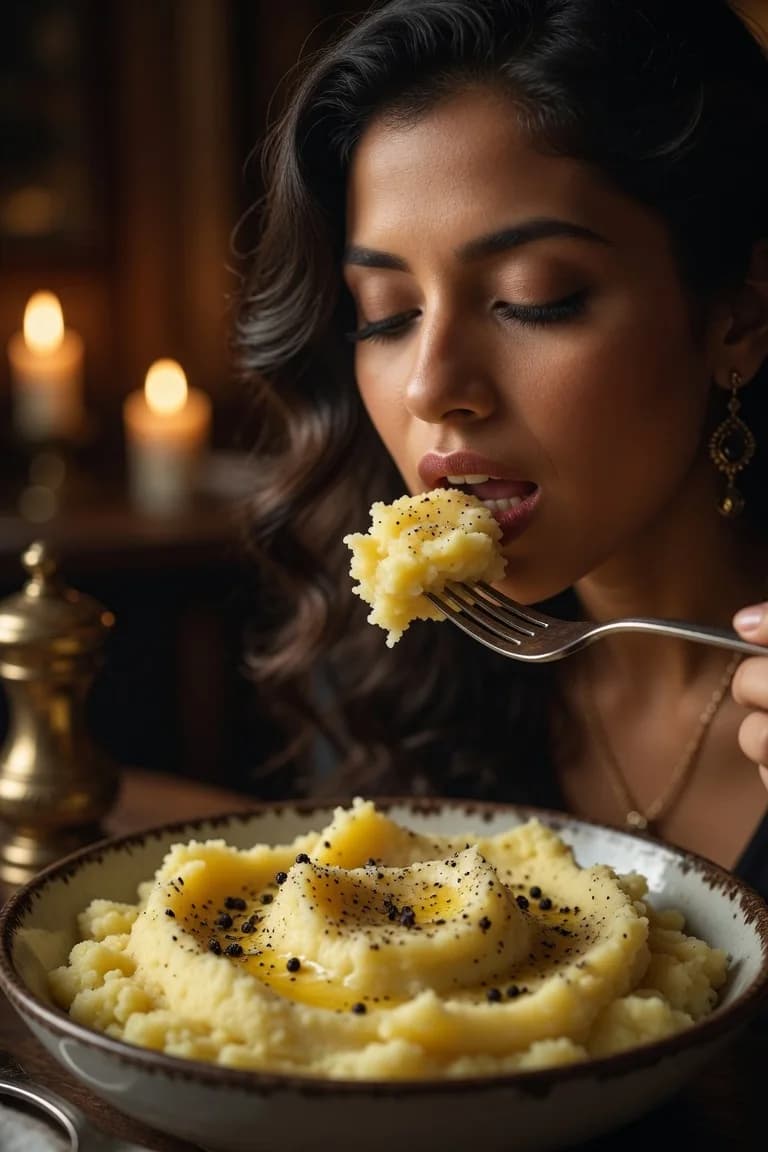
Close-up dining portrait with warm candlelight and a bowl of mashed potatoes
PortraitSuggested output: 3:4

Candlelit Dining Portrait

View full prompt

An intimate food editorial photograph of an adult diner lifting a forkful of rustic mashed potatoes at a candlelit table. Include part of the ceramic bowl in the foreground and softly glowing candles in the distance. Focus on the face and the food, with realistic texture and delicate steam. Warm amber lighting, deep brown background, 85mm portrait perspective, vertical 3:4 framing. Keep the scene natural and unposed.

Make it yours. Include a person or action when food photography needs a story.

Try This
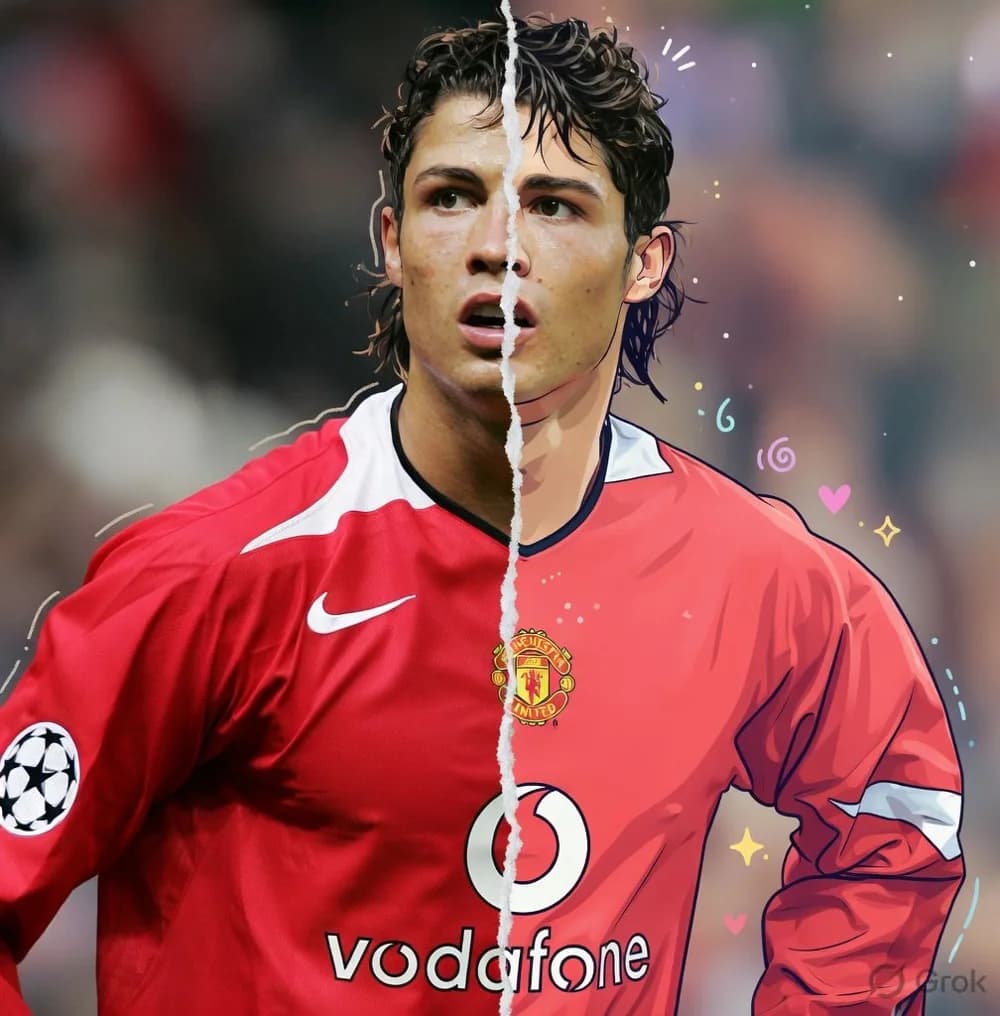
Football portrait divided into photographic and colorful cartoon treatments
IllustrationSuggested output: 3:4

Photo-to-Cartoon Split Portrait

View full prompt

Create a portrait of a fictional football player wearing a plain red jersey, divided down the center by an irregular white paper seam. Render the left half as a realistic sports photograph and the right half as a colorful ink cartoon. Align the eyes, mouth, shoulders, and clothing across the seam. Use a softly blurred stadium background and a few small drawn stars on the illustrated side. Vertical 3:4 composition, no team logos or lettering.

Make it yours. Specify which features must align when combining two visual treatments.

Try This
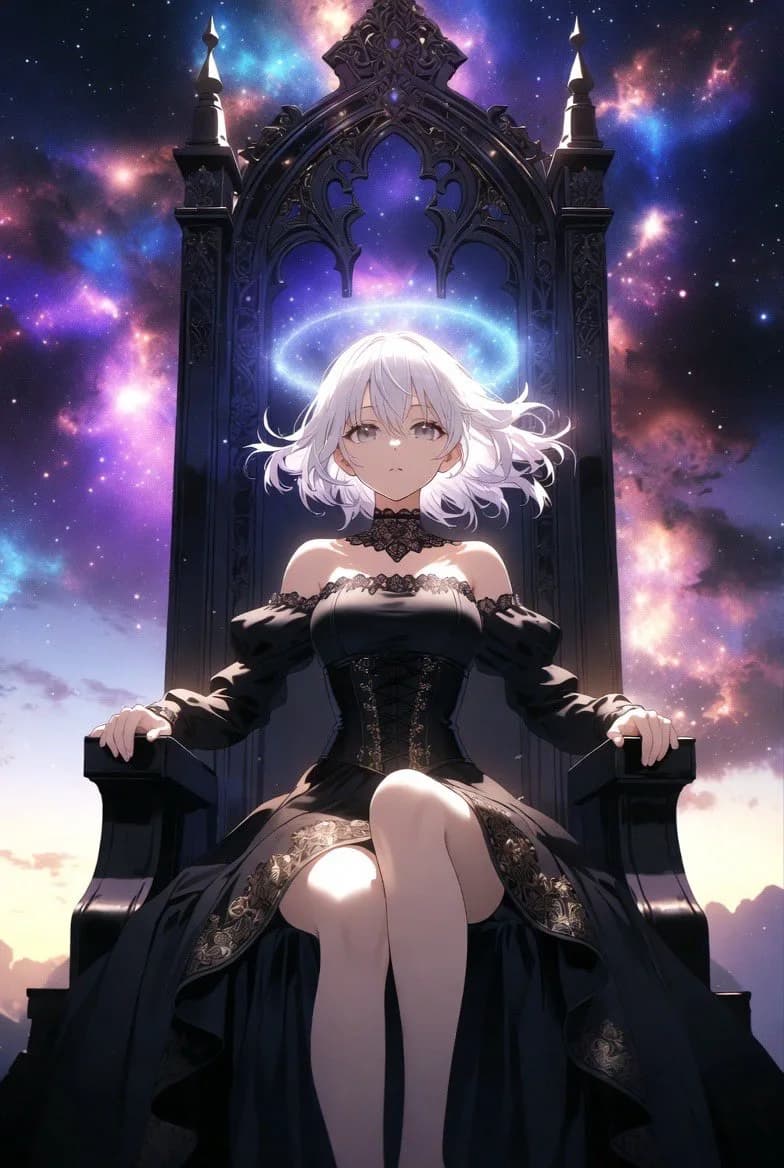
White-haired anime character seated on an ornate throne amid purple stars
AnimeSuggested output: 3:4

Anime Queen on a Cosmic Throne

View full prompt

Illustrate an adult celestial queen with short white hair seated on a tall carved obsidian throne floating among stars. Give her a formal black gown and a thin luminous ring above her head. Frame the throne symmetrically against blue and violet nebula clouds. Use clean anime linework, controlled cel shading, bright rim lighting, and crisp architectural details. Vertical 3:4 composition, no words or emblems.

Make it yours. Start with the silhouette and symmetry before describing background effects.

Try This
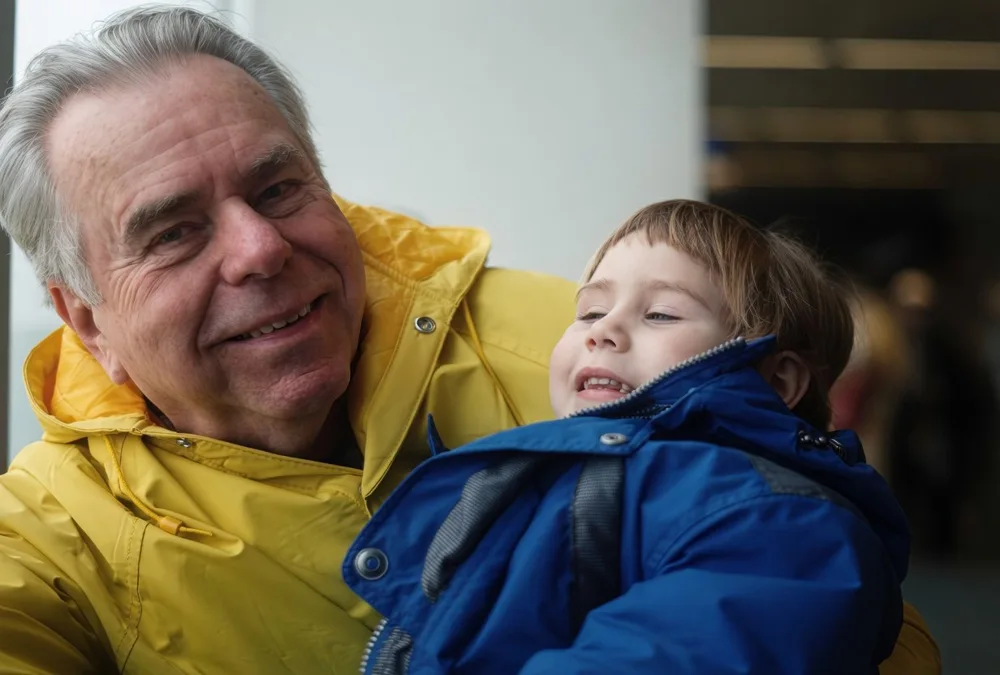
Candid family photograph of a grandfather holding a child in a blue jacket
PortraitSuggested output: 4:3

Candid Family Photography

View full prompt

A candid family photograph of a grandfather holding his young grandchild on a sofa beside a window. The child wears a blue jacket and looks up at him with an unposed smile. Use natural indoor daylight, slightly imperfect snapshot framing, gentle film grain, and realistic skin tones. Keep their expressions warm and believable. Horizontal 4:3 frame, ordinary home setting, no studio backdrop or text.

Make it yours. Ask for a candid moment and an ordinary setting to avoid a studio-photo look.

Try This

Good images start
with a clear idea.

A prompt is a starting point. A few thoughtful changes make it your own.

Read the prompting guide
  1. 01

    Find your visual direction

    Choose the subject, mood, or composition that fits your project.

  2. 02

    Change the details

    Make the subject, colors, and lighting specific. Keep one clear focal point.

  3. 03

    Try it. Then refine it.

    Open the generator, review the settings, and adjust one thing at a time.

Which example fits your next image?

Start with a specific example from the collection, then choose whether to keep its visual direction or explore a different one. These notes connect the subjects in the gallery to practical uses. The images remain community references; use your own generated output to judge how the supplied prompt works for your project.

Luxury Perfume Product Photography

Choose the perfume example for a dramatic product campaign concept. Its starting prompt combines a dark bottle, a raised stone block, and a crimson edge light. The community reference shows the kind of contrast to explore, while the supplied prompt asks for an unbranded bottle. If you need a bright catalog photograph instead, use the daylight variation below rather than keeping the red lighting and dark setting.

Useful for: fragrance mood boards, packaging concepts, and product campaign exploration.

Watercolor Bakery Illustration

Choose the bakery example for a warm illustrated scene with a person, an action, and a recognizable setting. The baker, cat, and arched window give you three elements to adapt. You could change bread-making to cake decorating or move the setting from a countryside kitchen to a neighborhood shop. Keep the watercolor direction if you want to explore variations within the same visual family.

Useful for: bakery social posts, storybook concepts, and illustrated recipe covers.

Cyberpunk Anime Character Portrait

Choose the cyberpunk portrait for a tightly framed character concept. The supplied prompt describes the hair, cape, gaze, and background separately, so each can be changed without rewriting the whole scene. For a character profile, start with the close portrait. For a costume concept, request a wider frame and add the clothing details that are currently outside the crop.

Useful for: original character concepts, avatar ideas, and color-palette exploration.

Evening Gown Fashion Portrait

Choose the evening gown portrait for a fashion scene built around fabric, pose, and an interior setting. Its window light and distant lamp offer a different direction from the candlelit dining example, which centers on a person eating. For a relaxed family scene, use Candid Family Photography instead: its horizontal framing and everyday setting are part of the intended result.

Useful for: fashion editorial concepts, wardrobe mood boards, and portrait composition ideas.

Copy a daylight perfume photography variation.

The gallery’s perfume prompt asks for a black bottle against a wine-red backdrop. This alternative keeps the single-product subject but changes the material, lighting, and placement for a lighter campaign concept. It is a new brief to try, not a tested before-and-after result or a claim that it reproduces the reference image.

Amber bottle with room for a headline

Photograph one unbranded amber glass perfume bottle on a pale limestone block, with a blank cream label and a simple brass cap. Use a close eye-level view with the bottle on the right side of the frame. Light it through a large window on the left so the glass remains translucent and its shadow falls softly to the right. Keep the left third clear for a headline. Warm neutral background, realistic materials, vertical 3:4 composition, no lettering or extra props.

Try This →

What changes from the gallery example

The amber glass replaces opaque black glass, and the side window replaces the crimson edge light. Eye-level framing replaces the low camera position. The bottle moves to the right so the left side can hold campaign copy. These changes define a different image brief; adding only the word daylight to the original would leave several conflicting details.

What to compare in your results

Generate the original and this variation if you want to compare two campaign directions. Look at how clearly each image shows the bottle, whether there is usable space for a headline, and whether the surface suits your design. Save the prompts and settings with both outputs. The more dramatic image is not automatically the better fit for a product page.

Return to the original perfume prompt →

Adapt the bakery example for a wide banner.

The bakery card suggests a vertical storybook composition, while its community reference is a wide image. For a website banner, this alternative explicitly requests a horizontal scene and leaves a quiet area for your title. The suggested output ratio describes what to select in the generator, not the dimensions of the reference photograph or illustration.

Gallery version: a baking scene

The original prompt includes a baker shaping dough, an arched window, lavender fields, and a cat. It is a starting point for an illustrated moment with several story details. If those details matter to your project, keep them and consider where they will sit in the final crop.

For the banner version, the action changes to arranging croissants and the scene becomes simpler. The empty wall is deliberate space for a headline, not missing illustration detail.

View the bakery reference →

Banner variation: suggested output 16:9

Paint a cheerful baker arranging three fresh croissants on a wooden counter in a small neighborhood bakery. Place the baker and tray in the right half of the frame, with a simple cream wall and generous empty space on the left for a title added later. Include a small vase beside the window, but no other foreground props. Transparent watercolor, visible paper grain, warm morning light, soft violet shadows, horizontal 16:9 composition, no generated text.
Try This →

After generating, place the result in your banner layout and add the intended title. Check that the baker and tray remain visible at the mobile crop. If the subject is covered by the headline, change its position in the brief or revise the layout before selecting the final image. This variation has not been generation-tested on this page.

What to look for in each example’s output.

Use these case-specific checkpoints when trying the gallery prompts. They describe what the written brief is asking for and which details deserve a closer look. They are not test scores or promises about the model. Compare your result with the prompt itself; a reference image can suggest a direction without being an exact target.

ExampleRequested visualReview in your output
Luxury Perfume Product PhotographyBottle silhouette, ribbed glass, and the red-lit edge.Check whether the cap and bottle connect naturally and whether reflections follow the requested lights. The prompt asks for a blank label; lettering in the community reference is not part of the requested output.
Watercolor Bakery IllustrationA readable baking action and a coherent painted scene.Look at the hands, dough, and table surface. If the action is unclear, simplify it to arranging a tray. Check the composition against your selected output ratio, rather than the reference image crop.
Photo-to-Cartoon Split PortraitOne face aligned across two rendering styles.Compare the eye line, mouth, and jersey across the seam. The prompt describes a fictional player without team logos; the reference photograph does not define the identity you should generate.
Moonlit Forest Spirit PortraitSeparation between the face, open hand, and glowing plants.Check whether the small hand-held light is visible and whether the face remains readable. If the surrounding glow dominates, try fewer luminous plants while keeping the subject description.
Candid Family PhotographyA believable shared moment in a horizontal frame.Review both expressions and the contact between the adult and child. Check that the selected crop leaves room for both faces, rather than turning the scene into a single-person close-up.

If a result is close and only a local detail needs changing, the image editing guide explains reference-based edits. For the structure behind a new prompt, use the Grok Image 2.0 Prompting Guide.

Build a shortlist from the examples you try.

Keep a small record of your own results so the collection becomes more useful each time you return. A perfume campaign, a bakery banner, and a character portrait have different success criteria. Record the outcome against the task you actually needed instead of treating every attractive generation as a finished asset.

To explore both still-image and video workflows, visit the Grok Imagine AI image and video generator overview and choose the tool that fits your next project.

  1. Save the exact version you used

    Keep the case name, copied prompt, your edits, model, and selected ratio beside the output. For example, note whether you used the dark perfume brief or the daylight variation. The two prompts request different materials and lighting, so their results should not be evaluated as identical requests.

  2. Compare in the intended placement

    For the bakery banner, test your headline and mobile crop. For the fashion portrait, inspect the face, fabric, and pose at the size you will publish. For the split-style portrait, review the central seam closely. Record the specific reason you chose an image so you can make the same decision for a later variation.

  3. Keep one useful next change

    Write a concrete follow-up such as less red reflection on the bottle, more space beside the baker, or a closer crop on the character. Keep that note with the original result. If you need help composing a new brief from scratch, continue with the prompting guide rather than adding unrelated instructions to the example.

Frequently Asked
Questions

Everything you need to know about using and customizing Grok image prompts.

How do I use these Grok image prompts?

Choose a visual direction, copy its prompt, and change the subject or colors to suit your project. Try This opens our Grok Image 2.0 generator with the prompt and aspect ratio filled in. Review the settings before generating.

Will I get exactly the image shown?

No. The images are community reference images, and the prompts here are newly written starting points. They are not the original prompts used to create those images. Results vary with model version, settings, and each generation.

Are the prompts free to copy?

You can browse and copy the prompts without signing in. Generating images on this site requires an account and available credits. Check the pricing page for current options.

How can I make a prompt more specific?

Change one element at a time: the subject, composition, lighting, material, or palette. For a portrait, define the pose and background. For a product image, name the surface, camera angle, and light direction. Our prompting guide explains the full process.